
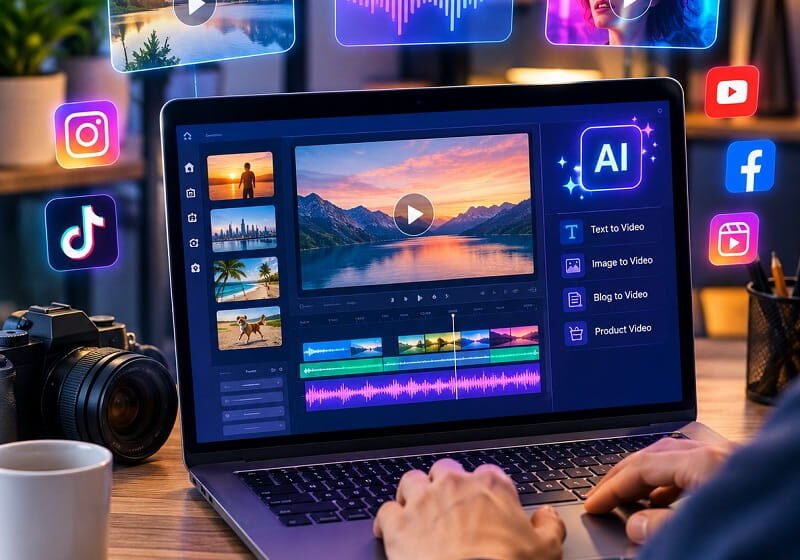

The best AI video generators for social media marketing combine script generation, text-to-video creation, AI voiceovers, captions, templates, avatars, editing, and platform-ready formats. CapCut is a strong all-around choice for short-form content, while Canva suits branded marketing, InVideo simplifies production from prompts, VEED combines generation with editing, and HeyGen excels at presenter-led social videos.
AI video generators for social media marketing have moved beyond simple text-to-video experiments. Modern platforms can turn a campaign idea, product description, blog post, image, or script into a finished social video with narration, captions, visual assets, transitions, and platform-friendly formatting.
That shift matters because social media marketing depends on publishing consistently while keeping creative quality high. A single campaign may require multiple versions for TikTok, Instagram Reels, YouTube Shorts, Facebook, LinkedIn, and paid advertising. AI video software can reduce the repetitive production work without requiring a camera crew or a dedicated video editor for every asset.
The strongest option depends on the type of content being produced. A creator making daily vertical videos has different requirements from a B2B marketer producing product explainers, while an ecommerce company may prioritize product demonstrations and advertising creatives. The comparison below focuses on practical marketing workflows rather than simply ranking tools by how impressive their AI generation looks.
What Are AI Video Generators for Social Media Marketing?
AI video generators are software platforms that use artificial intelligence to create or assemble video content from prompts, scripts, images, documents, URLs, or existing footage. Depending on the platform, the system can generate scenes, select stock footage, create AI-generated visuals, produce narration, add subtitles, animate images, or provide virtual presenters.
For social media marketing, the most useful systems combine generation with editing. Generating a beautiful clip is only one part of the workflow because marketers still need captions, branding, hooks, calls to action, aspect ratios, music, timing, and final exports.
Research into AI-powered persuasive video generation identifies automated visual understanding, storyline generation, and post-production as important components of automated promotional video creation. Those same stages remain relevant to modern social marketing workflows, where the objective is not merely to generate footage but to turn an idea into persuasive content.
The Best AI Video Generators for Social Media Marketing
1. CapCut — Best Overall for Short-Form Social Content
CapCut is one of the strongest choices for marketers whose primary goal is producing short-form social content quickly. Its AI video tools can generate videos from text and images, while its broader editing environment handles captions, effects, transitions, music, and other finishing tasks.
The platform is particularly well suited to vertical content because the workflow is closely connected to the conventions of short-form social video. A marketer can start with an idea, generate visual material, add narration and captions, then refine the result instead of moving between several unrelated applications.
CapCut also supports marketing-oriented use cases such as product showcases and advertising campaigns. Its current AI video environment integrates generative models and supports multi-scene creation, making it useful when a campaign requires more than a single animated clip.
Best for: TikTok videos, Instagram Reels, YouTube Shorts, product promotions, trend-based content, and fast social campaigns.
Main advantage: Strong combination of AI generation and hands-on social video editing.
Potential limitation: Marketers seeking highly controlled corporate presenter videos may find avatar-focused platforms more appropriate.
2. Canva — Best for Branded Social Media Campaigns
Canva is particularly useful when video production needs to remain connected to a broader brand design workflow. Its AI video generator can create video clips from text prompts with synchronized audio, including dialogue and sound effects, while the wider platform provides templates and design tools for campaign assets.
This makes Canva attractive to small marketing teams that create more than videos. The same workspace can be used for social graphics, presentations, thumbnails, advertisements, documents, and other branded material, allowing visual consistency across an entire campaign.
For marketers, that consistency can be more valuable than having the most advanced standalone video generation model. Fonts, logos, layouts, visual elements, and campaign messaging can remain aligned instead of being recreated separately in multiple applications.
Canva is also useful when AI-generated video is only one component of a campaign. A marketer can generate a clip, incorporate it into a Reel or advertisement, add branded text, and prepare supporting creative without leaving the design environment.
Best for: Branded Reels, promotional graphics with video, small-business marketing, social campaigns, and teams already using Canva.
Main advantage: Video generation is connected to a complete visual marketing ecosystem.
Potential limitation: Dedicated generative-video specialists can provide deeper control over cinematic generation.
3. InVideo — Best for Prompt-to-Video Marketing Workflows
InVideo focuses heavily on converting ideas into ready-to-share videos. Its platform is designed for social media videos, advertising, storytelling, and longer-form content, making it useful when the objective is to go from a written brief to a complete production rather than manually assemble every scene.
This approach can be valuable for marketers managing content calendars. Instead of starting with a blank editing timeline, the workflow can begin with a campaign concept, product description, article, or promotional idea and progress toward a structured video draft.
InVideo is particularly relevant for marketers who need volume. A business running several campaigns may need product videos, promotional clips, educational posts, list-style videos, and variations of the same creative. Automation can reduce the amount of repetitive assembly involved in producing those assets.
The platform is less about replacing creative strategy and more about reducing production friction. The strongest results still require a clear hook, accurate product information, suitable visuals, and a compelling call to action.
Best for: Marketing agencies, content calendars, promotional videos, explainers, and marketers who want prompt-driven production.
Main advantage: Fast movement from an idea or brief toward a complete video.
Potential limitation: Highly distinctive brands may need additional editing to avoid a generic template-driven appearance.
4. VEED — Best AI Video Generator and Editor Combination
VEED is a strong choice for marketers who want AI generation and conventional editing in the same browser-based workflow. Its AI capabilities include video generation and other automated production functions, while the editor provides tools for subtitles, branding, trimming, effects, and social publishing preparation.
This combination addresses an important weakness of many AI generators: the generated result is rarely the final marketing asset. Social content often needs several rounds of editing after generation, especially when a brand requires specific typography, captions, timing, product shots, or calls to action.
VEED can therefore work well for teams that want automation without surrendering editorial control. A generated draft can become the starting point, followed by manual refinement to make the video sound and look more like the company’s own content.
Another advantage is its suitability for repurposing. Long-form recordings, interviews, webinars, and other source material can be transformed into shorter social assets, allowing a single piece of content to support multiple distribution channels.
Best for: Social media teams, content repurposing, captions, branded editing, and marketers who need control after AI generation.
Main advantage: Strong balance between automated creation and traditional video editing.
Potential limitation: Users primarily interested in cinematic generative footage may prefer a specialized generation platform.
5. HeyGen — Best for AI Presenter and Avatar Marketing Videos
HeyGen stands out when social marketing requires a person speaking directly to the audience without recording a physical presenter. Its AI video generator can turn scripts, URLs, or ideas into videos using avatars, voiceovers, B-roll, and captions.
This makes the platform particularly useful for product explainers, educational clips, sales messages, software demonstrations, and presenter-led social advertisements. A marketer can create a consistent presenter format without arranging filming, lighting, microphones, locations, and repeated takes.
HeyGen also supports multilingual video production, which creates opportunities for brands targeting several geographic markets. A campaign can be adapted into multiple languages without requiring the same presenter to record every version manually.
For faceless marketing content, the platform can also combine scripts with narration, captions, and B-roll. That is useful when the brand wants human-style communication but does not want to put a real employee or creator on camera.
Best for: AI avatar videos, product explainers, sales videos, multilingual campaigns, and presenter-led social content.
Main advantage: Fast production of presenter-style videos without conventional filming.
Potential limitation: Avatar-heavy content can feel less authentic when the campaign depends heavily on creator personality or genuine customer experiences.
How to Choose the Best AI Video Generator for Social Media Marketing
The best AI video generator is not necessarily the platform with the most advanced text-to-video model. Marketing teams should evaluate the entire production pipeline from idea to published asset.
Start With the Social Platform
Content designed for TikTok, Instagram Reels, and YouTube Shorts usually needs a vertical-first workflow. LinkedIn marketing often benefits from concise educational or presenter-led content, while Facebook campaigns can support several video formats depending on the advertising objective.
The tool should make it easy to create the dimensions, pacing, captions, and visual structure appropriate for the intended platform. A technically impressive video can still perform poorly if the opening is slow or important information is hidden outside the mobile-safe area.
Evaluate the Hook Creation Workflow
AI can generate scenes, but the first few seconds still need a strong marketing idea. The opening should immediately establish a problem, benefit, curiosity gap, demonstration, or compelling visual.
For example, a software company could open with a painful workflow problem rather than starting with a company logo. An ecommerce brand could demonstrate the product result before explaining the product. The AI generator should support that storytelling structure instead of simply producing a sequence of generic scenes.
Check Caption and Subtitle Controls
Captions are particularly important for social video because many users encounter videos while muted or in environments where sound is inconvenient. Automated caption generation saves time, but marketers should still check names, technical terms, prices, product specifications, and calls to action.
Caption styling also affects brand recognition. Large, readable text with appropriate contrast is generally more useful than decorative captions that compete with the main visual.
Look for Brand Controls
A marketing workflow should preserve brand identity across repeated AI-generated videos. Useful controls include logos, fonts, colors, templates, reusable layouts, approved terminology, and consistent presenter or voice choices.
This is one reason an all-in-one design platform such as Canva can be attractive for smaller marketing teams. Its AI video capabilities exist alongside broader design functionality, making it easier to maintain visual consistency across campaign assets.
Consider Human Editing Requirements
AI generation should be treated as a production accelerator rather than a substitute for marketing judgment. Generated footage can contain awkward movement, inaccurate text, inconsistent objects, strange gestures, or visual details that do not match the campaign brief.
A practical workflow therefore includes a review stage. Check every generated scene, spoken claim, caption, product representation, logo, price, and call to action before publication.
AI Video Generators for Different Social Media Marketing Goals
Best for TikTok and Instagram Reels
CapCut is the strongest starting point for marketers focused heavily on short-form vertical content. Its combination of AI generation, effects, captions, transitions, and social-oriented editing makes it suitable for rapid creative iteration.
VEED is another useful option when the campaign requires more editing and repurposing after generation. Canva works especially well when the same campaign includes static graphics, branded designs, and video.
Best for Product Marketing
Product marketers need accurate demonstrations rather than generic AI visuals. Product images, screen recordings, real footage, and verified product information should remain central, with AI used to enhance narration, structure, captions, backgrounds, or supplementary visuals.
CapCut can work well for visually driven product promotions, while HeyGen can add a presenter-led explanation. Canva is useful when the product video needs to match a larger branded campaign.
Best for B2B Marketing
B2B campaigns often benefit from educational videos, software explainers, feature walkthroughs, and thought-leadership content. Presenter-led AI video can be useful when a company needs many variations without recording every message manually.
HeyGen is particularly suitable for this format. VEED can be preferable when the workflow involves editing screen recordings, interviews, webinars, and existing marketing footage.
Best for High-Volume Content Production
Content volume changes the economics of video production. A business publishing several videos each week needs a workflow that minimizes repetitive scripting, editing, captioning, resizing, and exporting.
InVideo is well suited to prompt-driven production, while CapCut and VEED are useful when the generated content needs substantial editing. The best workflow may combine two platforms rather than forcing one application to handle every task.
Best for Multilingual Social Campaigns
Multilingual marketing creates additional production requirements because narration, captions, timing, and sometimes presenter delivery must be adapted for different audiences. HeyGen is particularly relevant because its AI video workflow supports multilingual video production.
The important consideration is not simply the number of supported languages. Marketing teams should verify pronunciation, cultural appropriateness, terminology, and translation quality before publishing campaigns in another market.
AI Video Marketing Workflow That Produces Better Social Content
Step 1: Define the Marketing Objective
Start with one measurable objective. The video might be designed to generate awareness, collect leads, drive product-page visits, explain a feature, increase app installs, promote an offer, or encourage engagement.
A video without a defined objective often becomes visually impressive but commercially weak. The objective should determine the hook, script, visuals, pacing, and call to action.
Step 2: Write a Short Social Script
Social videos generally benefit from concise scripting. Remove unnecessary introductions and move the strongest idea toward the beginning. Every sentence should either advance the story, explain the benefit, demonstrate the product, establish credibility, or move the viewer toward the desired action.
AI can help create script variations, but the final version should reflect the brand’s actual claims and audience. Avoid allowing a generator to invent statistics, testimonials, customer results, product capabilities, or guarantees.
Step 3: Generate Several Creative Directions
Instead of generating one video and publishing it immediately, create several creative concepts. One version might use a problem-solution structure, another might lead with a product demonstration, and a third could use a presenter or customer-style narrative.
This approach creates a larger testing pool without requiring every concept to be produced from scratch. The strongest marketing teams can then compare creative performance instead of assuming the first generated video is the best one.
Step 4: Add Real Brand Assets
AI-generated visuals should not replace important real-world assets when accuracy matters. Add genuine product photographs, interface screenshots, logos, packaging, demonstrations, customer footage, or verified brand materials where appropriate.
Combining authentic assets with AI-generated supporting visuals often creates a more credible result than using synthetic imagery for every scene.
Step 5: Optimize for Silent Viewing
Review the entire video without sound. The main message should still be understandable through captions, visual demonstrations, on-screen text, and scene progression.
This test is particularly useful for short-form social campaigns because it exposes videos that depend too heavily on narration to communicate their value.
Step 6: Create Platform Variations
One master video does not need to become identical content everywhere. The core campaign idea can remain consistent while the opening hook, length, caption style, aspect ratio, call to action, and pacing are adapted to each platform.
This creates a better balance between production efficiency and platform-specific creative strategy.
Why AI Video Quality Alone Does Not Guarantee Marketing Results
The biggest mistake in AI video marketing is confusing production quality with marketing effectiveness. A beautifully generated video can still fail because the offer is unclear, the opening is weak, the target audience is wrong, or the call to action is missing.
Social platforms also increasingly face concerns around synthetic content and authenticity. Recent industry reporting has highlighted growing skepticism toward AI-generated content and concerns that creators and brands can be incorrectly associated with low-quality synthetic media.
That makes authenticity an important competitive advantage. AI should remove production friction while leaving room for genuine product demonstrations, original opinions, customer experiences, real footage, and brand-specific storytelling.
How to Avoid Generic AI Social Videos
Generic AI videos often share the same problems: stock-looking visuals, predictable narration, excessive transitions, artificial presenters, vague claims, and overly polished scenes that do not communicate anything specific.
The solution is to give the generator stronger source material. Instead of asking for “a professional marketing video about a productivity app,” provide the target customer, specific pain point, product mechanism, unique benefit, proof point, desired action, visual style, and approximate duration.
Specific inputs produce more useful outputs because the AI has more information about what the video actually needs to accomplish.
How Much Can AI Reduce Video Production Work?
The biggest efficiency gains usually come from eliminating repetitive tasks rather than eliminating the entire creative process. Script drafts, scene suggestions, captions, voiceovers, resizing, B-roll selection, and initial editing can all be accelerated.
The amount of saved time varies according to video complexity. A simple promotional Reel can move from concept to finished draft quickly, while a highly controlled advertisement may still require substantial human editing, product photography, motion design, legal review, and performance testing.
The practical value comes from increasing creative output without increasing production workload at the same rate. A small team can test more hooks, offers, audiences, and visual concepts than would be possible through traditional production alone.
Free vs Paid AI Video Generators for Marketing
Free plans are useful for evaluating a platform before committing to a subscription. They can reveal whether the interface fits the workflow, whether generated videos meet quality expectations, and whether the available templates and editing controls are sufficient.
However, free tiers frequently impose restrictions such as watermarks, limited generation credits, export limitations, lower resolution, restricted assets, or reduced access to advanced AI models. Those limitations can become significant when videos are being used commercially.
Paid plans should therefore be evaluated according to production economics rather than feature count alone. If a subscription saves several hours of repetitive editing each week or allows a campaign team to create substantially more creative variations, the cost can be justified by production efficiency.
AI Video Generator Comparison: Which One Should Marketers Choose?
For most social-first creators and businesses, CapCut is the strongest starting point because it combines AI generation with the editing capabilities required for short-form content.
Canva is a better fit when video is part of a larger branded design workflow. InVideo is attractive when prompt-driven production and rapid content volume are the priority. VEED is particularly useful for marketers who need strong editing and content repurposing after generation.
HeyGen should be considered when AI presenters, multilingual content, or presenter-led explainers are central to the strategy. The right choice is therefore determined by the production bottleneck rather than by a universal ranking.
Frequently Asked Questions About AI Video Generators for Social Media Marketing
What is the best AI video generator for social media marketing?
CapCut is one of the strongest overall choices for social media marketing because it combines AI video generation with editing, captions, effects, and short-form content workflows. Canva is stronger for brand-focused campaigns, while HeyGen is better suited to presenter-led videos and multilingual marketing content.
Can AI video generators create TikTok and Instagram Reels?
Yes. AI video platforms can create short-form vertical videos suitable for TikTok and Instagram Reels. The most effective workflow is to generate the core concept, then optimize the opening hook, captions, pacing, aspect ratio, branding, and call to action specifically for the intended platform.
Are AI-generated videos good for advertising?
AI-generated videos can be effective for advertising when they communicate a clear offer and are supported by accurate product information. AI is especially useful for producing creative variations, hooks, background visuals, voiceovers, and demonstrations, but human review remains important for claims, brand safety, and authenticity.
Which AI video generator is best for faceless marketing videos?
Several platforms support faceless workflows, but HeyGen is particularly useful because it can combine scripts with narration, captions, and B-roll without requiring a physical presenter. CapCut and InVideo are also strong options for faceless short-form content built around generated visuals, stock footage, narration, and text.
Can AI video generators create videos from blog posts?
Yes. Several platforms can transform written material into video concepts, scripts, scenes, narration, and supporting visuals. This makes blog-to-video repurposing practical for content marketers. The resulting script should still be reviewed to remove unnecessary sections and ensure the video has a strong social-media-specific hook.
Should marketers use AI avatars in social media videos?
AI avatars can work well for explainers, educational videos, product demonstrations, and recurring branded formats. They are less suitable when authenticity, personal experience, or creator personality is the primary reason an audience follows the account. Avatar content should support the brand rather than make every post feel automated.
Final Verdict
The best AI video generators for social media marketing are not simply the platforms capable of producing the most realistic AI footage. The strongest marketing tools reduce the complete distance between an idea and a publishable social asset.
CapCut leads for fast short-form production, Canva stands out for branded creative workflows, InVideo is strong for prompt-driven video creation, VEED combines AI generation with practical editing, and HeyGen excels at AI presenters and multilingual video production.
The most effective strategy is to use AI where it saves production time while preserving human control over the message, brand identity, product accuracy, and creative direction. Social media marketing still rewards relevance and originality more than technical novelty, so the best AI workflow is the one that lets a marketing team produce more useful content without making every video look machine-generated.