
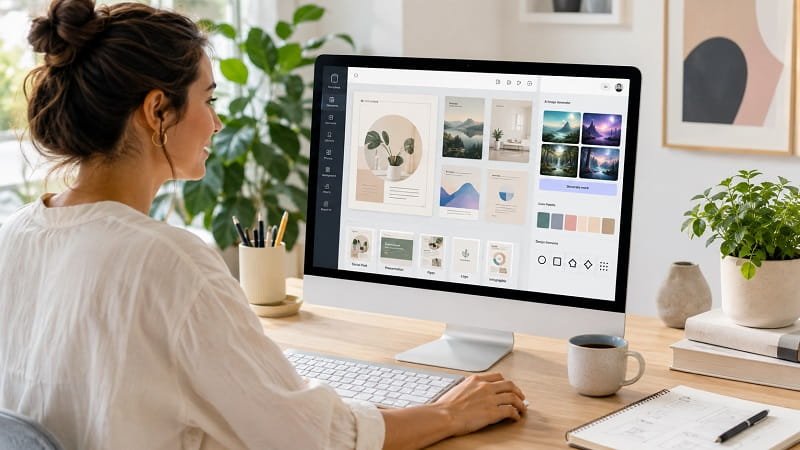

The best AI graphic design platforms for non-designers have changed the economics of creating professional-looking visual content. You no longer need years of Photoshop experience to produce a social post, presentation, advertisement, logo, flyer, infographic, or branded campaign. The strongest platforms now combine templates, drag-and-drop editing, generative AI, stock media, automatic resizing, brand controls, and increasingly capable image-generation tools in interfaces designed for ordinary users.
That does not mean every AI design platform is interchangeable. Canva remains the broadest all-purpose choice for beginners, while Adobe Express is particularly compelling for people already invested in Adobe’s ecosystem. Microsoft Designer is attractive for users who want AI-assisted creation with a familiar Microsoft account, while Kittl is stronger for typography-heavy graphics and merchandise. Other platforms specialize in infographics, presentations, social media content, branding, or collaborative design.
Pricing also varies considerably. Some services provide capable free tiers, while paid plans typically range from roughly $5 to $25 per month for individuals, depending on billing terms and features. The prices below were checked against official pricing pages on August 14, 2026, and can change by region, promotion, tax, billing cycle, or account type.
What Makes an AI Design Platform Good for Non-Designers?
A beginner-friendly design platform should reduce the number of decisions you have to make before producing something usable. Templates, visual alignment tools, automatic spacing, font pairing, background removal, image generation, and one-click resizing all help compensate for the lack of formal design training. The best tools also let users start with a template and gradually take more control as their confidence improves.
AI adds another layer. Instead of manually searching through thousands of images or building a composition from scratch, users can describe what they need and receive a starting point. Generative AI can create images, rewrite copy, remove unwanted objects, suggest layouts, or adapt an existing design for another format. The useful distinction is that AI should accelerate design decisions rather than eliminate human judgment.
Commercial use is another consideration for businesses. Stock licensing, generated content terms, trademark concerns, and ownership rules differ among platforms and should be checked before using AI-generated material in a major campaign. A tool that is excellent for a personal Instagram graphic may not be the right choice for a regulated business, large advertising campaign, or identity system.
Canva
Canva is the strongest all-round option for people who want professional-looking graphics without learning traditional design software. Its interface combines templates, drag-and-drop editing, stock media, presentations, social graphics, video, documents, brand controls, and AI-assisted creation in one environment. The free plan costs $0, while Canva Pro is listed at US$144 per year for one person, equivalent to $12 per month when averaged across annual billing. Pricing was checked on August 14, 2026.
Its biggest advantage is breadth. A small-business owner can create a logo concept, resize a social campaign, build a presentation, prepare a printable flyer, and turn the same brand assets into multiple formats without moving between specialist applications. The downside is that its huge feature set can become distracting, and users seeking advanced interface or product-design workflows may eventually find other platforms more appropriate.
- Drag-and-drop visual editor with extensive templates
- AI-assisted design and content creation
- Large stock photo, video, graphic, and audio library
- Brand Kit and automatic resizing tools
- Design formats spanning social, print, presentations, video, and documents
For most beginners, Canva is the safest starting point because its learning curve is low while its ceiling is high. Buy Canva Pro directly from Canva’s official website.
Adobe Express
Adobe Express brings much of Adobe’s creative technology into a simpler interface aimed at everyday content creation. Its free plan includes basic editing tools, more than 100,000 static and video templates, more than 1 million royalty-free Adobe Stock assets, and access to Adobe Fonts. Premium costs US$9.99 per month with no annual commitment and includes 250 monthly generative credits, premium templates, more than 200 million Adobe Stock assets, automatic resizing, 100GB of storage, and additional editing capabilities. Pricing was checked on August 14, 2026.
Adobe Express is particularly useful for users who want a straightforward editor but still value the Adobe ecosystem. Its integration with Adobe’s creative technologies and Firefly-powered generative features gives it a different character from template-first platforms. The trade-off is that absolute beginners may find Canva’s workflow slightly more immediately intuitive, while users wanting the full power of Photoshop or Illustrator will still need Adobe’s professional applications.
- Firefly-powered generative AI features
- Large Adobe Stock asset library
- Automatic resizing for different channels
- Professional Adobe Fonts integration
- Desktop and mobile workflows
Adobe Express is a strong choice for freelancers, marketers, and small businesses that want simple creation tools without abandoning Adobe’s wider ecosystem. Buy Adobe Express from Adobe’s official website.
Microsoft Designer
Microsoft Designer is built around AI-assisted creation and is particularly appealing to people already using Microsoft services. The free version lets users create and edit graphics with monthly AI credits, including images, invitations, collages, stickers, avatars, wallpapers, and other designs. Microsoft 365 Personal costs $9.99 per month and includes Designer, while Microsoft 365 Premium costs $19.99 per month and provides more extensive usage for AI image creation and editing. Pricing was checked on August 14, 2026.
The platform is designed for people who want to describe an idea and let AI produce a visual starting point rather than manually assemble every element. It can also remove distractions, blur or remove backgrounds, add text, crop images, and resize designs. Its main limitation is that users seeking a deeply customizable professional design environment may prefer Canva, Adobe Express, or Figma.
- Prompt-based AI graphic creation
- AI image editing and object removal
- Background removal and resizing
- Microsoft 365 integration
- Free entry tier with monthly AI credits
Microsoft Designer makes the most sense when AI generation and Microsoft integration matter more than access to the broadest conventional design ecosystem. Buy it through Microsoft’s official Microsoft 365 and Designer pages.
Figma
Figma is not traditionally a beginner-focused graphic design platform, but its expanding AI capabilities and collaborative workflow make it relevant for users who want to move beyond simple social graphics. Its free Starter plan provides unlimited drafts, UI kits, templates, and limited AI access. The Professional plan costs $16 per month for a full seat and includes unlimited files and projects, team-wide design libraries, advanced Dev Mode inspection, and 3,000 AI credits per month. Pricing was checked on August 14, 2026.
For someone who only needs Instagram posts, Figma can feel unnecessarily sophisticated. Its strengths emerge when design needs to connect with websites, applications, prototypes, product teams, or developers. The learning curve is higher than Canva’s, but the reward is a much more flexible design system and collaboration environment.
- Collaborative browser-based design
- AI features across the Figma product suite
- Reusable components and design libraries
- Advanced prototyping and developer handoff
- Free Starter plan for personal projects
Figma is best for ambitious beginners who expect their design work to expand into interfaces, prototypes, or product development. Buy Figma from its official website.
VistaCreate
VistaCreate is a practical Canva alternative focused heavily on social media, marketing content, templates, and fast visual production. Its free Starter plan includes more than 100,000 templates, 1 million photos, videos, and vectors, a Brand Kit, 10GB of storage, and social media scheduling. Pro costs $10 per month when billed annually, or $13 monthly, and adds more than 200,000 templates, 170 million media assets, generative AI for images and text, unlimited storage, version history, one-click resizing, and HD downloads. Pricing was checked on August 14, 2026.
The platform’s appeal is speed. Someone managing several social accounts can start with a ready-made format, adapt it to a brand, resize it for different channels, and schedule posts without building every graphic from scratch. Its disadvantage is that users needing sophisticated interface design, complex vector work, or deep professional production controls will find the platform less capable than specialist software.
- Large template and media library
- Generative AI for images and text
- One-click resizing
- Social media scheduling
- Brand Kit and team collaboration
VistaCreate is a particularly good fit for creators and small businesses that publish visual content frequently. Buy VistaCreate Pro from the official VistaCreate website.
Kittl
Kittl has carved out a distinctive position by combining AI with strong typography, illustration, vector editing, templates, and merchandise-oriented design workflows. Its free plan is useful for experimentation, while the Pro plan is listed at $14 per month when billed annually, with the displayed monthly equivalent based on a $168 annual payment. The Expert plan is listed at $34 per month when billed annually, based on $408 per year. Pricing was checked on August 14, 2026.
Kittl is especially appealing when the design itself needs personality. Posters, apparel graphics, logos, lettering, badges, labels, and typographic compositions are areas where its specialized tools can be more useful than a general-purpose template editor. The drawback is that users looking primarily for presentations, documents, or broad business productivity may get more value from Canva or Adobe Express.
- AI-assisted design and image creation
- Strong typography and lettering tools
- Professional templates and mockups
- Vector editing capabilities
- Large library of graphics, fonts, and assets
Kittl is the better choice when typography and visual identity are central to the project. Buy Kittl through its official website.
Piktochart
Piktochart is designed around visual communication rather than general-purpose graphic creation. It is particularly strong for infographics, reports, presentations, charts, and business communications where information needs to be visually organized. The free plan costs $0, while Pro costs $10 per member per month when billed annually or $15 monthly and includes 500 AI credits, premium templates, unlimited PNG downloads, and 100GB of storage. Business costs $17 per member per month annually or $20 monthly. Pricing was checked on August 14, 2026.
The advantage for non-designers is structure. Instead of confronting a blank canvas, users can work from layouts that already understand how charts, headlines, images, and supporting information should be arranged. Its limitations become apparent when the task is highly artistic or requires advanced photo manipulation.
- AI design and document generation
- Infographic-focused templates
- Charts and data visualization tools
- AI image generation
- Brand controls on higher plans
Piktochart is a smart choice for professionals who need to turn complicated information into readable visual content. Buy Piktochart directly from its official website.
Visme
Visme combines graphic design with presentations, infographics, data visualization, and branded business content. Its Basic plan is free, while Starter costs $12.25 per month per person and Pro costs $24.75 per month per person, with both paid plans billed annually. Pro adds advanced downloads, Brand Kit controls, analytics, integrations, and collaboration features. Pricing was checked on August 14, 2026.
Visme is particularly useful for marketers, educators, consultants, and businesses that need more than decorative graphics. It can help turn research, statistics, presentations, and reports into structured visual communication. The higher price of Pro makes it less attractive for casual users who only need occasional social media images.
- Infographics and presentation templates
- Charts and data visualization
- Brand Kit and collaboration controls
- Multiple professional export formats
- AI-assisted content and design workflows
Choose Visme when information design is more important than quick social graphics. Buy Visme through the official Visme website.
Desygner
Desygner is built around accessible graphic creation, brand management, resizing, and publishing across devices. Its free plan includes core applications, more than 1 million free templates, up to 100 projects, 20 AI credits per month, and 5GB of storage. Desygner Pro+ is listed at $59.40 per year, equivalent to $4.95 per month when paid annually, while its Business plan is listed at $19 per user per month. Pricing was checked on August 14, 2026.
One of Desygner’s strongest selling points is the ability to import designs from other platforms and work across desktop and mobile. Pro+ adds unlimited PDF importing and exporting, Shutterstock assets, automatic resizing, social scheduling, asset storage, and collaboration. The interface is less dominant in the market than Canva’s, but the lower annual Pro+ price can make it attractive to budget-conscious creators.
- Automatic resizing
- Large template and stock library
- PDF import and export
- Social media scheduling
- Desktop and mobile support
Desygner is worth considering when cost, cross-device access, and straightforward business graphics are priorities. Buy Desygner directly from its official website.
Snappa
Snappa deliberately keeps graphic design simple. Its free plan includes more than 6,000 templates and more than 5 million HD photos and graphics, although free users are limited to three downloads per month. Pro costs $15 monthly or $10 per month when billed annually and adds unlimited downloads, social integrations, custom font uploads, and background removal. Pricing was checked on August 14, 2026.
Snappa’s appeal is its lack of complexity. A blogger creating featured images, a social media manager producing promotional posts, or a small business owner preparing web graphics can get results quickly without navigating an enormous professional toolset. It is less suitable for elaborate branding systems, complex vector artwork, or advanced AI generation.
- Simple browser-based editor
- 6,000+ templates
- 5 million+ HD photos and graphics
- Background removal on Pro
- Social media integrations
Snappa is best for people who value speed and simplicity over a long list of advanced features. Buy Snappa Pro from the official Snappa website.
Looka
Looka takes a narrower approach than the other platforms by focusing heavily on AI-powered logos and brand assets. Users can create, edit, and save logo concepts without paying, then purchase the finished logo or subscribe to a Brand Kit. Looka lists its Basic logo package at $20 for a single PNG file and its Premium logo package at $65 for multiple high-resolution formats, while its Brand Kit subscription is listed at $96 per year and Brand Kit Web at $129 per year. Pricing was checked on August 14, 2026.
The platform is particularly useful for a new business owner who needs a coherent starting identity but does not want to commission a full branding project. Its Brand Kit can generate more than 300 branded assets using the selected logo, colors, fonts, imagery, and company information. The limitation is obvious: Looka is a specialist branding tool rather than a replacement for a general-purpose design platform.
- AI-powered logo generation
- Brand Kit with hundreds of templates
- High-resolution logo packages
- Social and business branding assets
- AI-generated website option on higher subscription
Looka makes the most sense when the first priority is establishing a visual identity quickly. Buy Looka logo packages or Brand Kit subscriptions from the official Looka website.
Pricing Comparison for AI Graphic Design Platforms
The lowest-cost route is to start with free plans. Canva, Adobe Express, Microsoft Designer, Figma, VistaCreate, Piktochart, Visme, Desygner, Snappa, Kittl, and Looka all provide some form of free access or free creation experience, although the limits vary significantly. Free tiers are useful for testing an interface, but download restrictions, AI credits, premium assets, storage, and branding controls can become important once design becomes part of a regular business workflow.
Among the paid options, Desygner Pro+ is one of the least expensive at $59.40 annually, while Adobe Express Premium costs $9.99 monthly without an annual commitment. Canva Pro is $144 annually for an individual account, while Kittl Pro is $168 annually. Figma Professional is $16 per month for a full seat. The apparent monthly price therefore does not tell the whole story: billing frequency, AI allowances, collaboration requirements, and premium asset access can have a larger impact on real value.
Piktochart and Visme become more compelling when visual communication involves reports, data, presentations, or infographics. Kittl becomes more compelling for typography and merchandise. Looka is better viewed as a branding solution. The best value is the platform that matches the job closely enough to eliminate the need for a second subscription.
How to Choose the Right AI Design Platform
Start with the content you create most often. If your workload is dominated by social posts, advertisements, presentations, documents, and everyday marketing graphics, Canva or Adobe Express is likely to provide the broadest coverage. If your projects center on product interfaces or prototypes, Figma is a better long-term investment. Someone producing infographics and reports should look more closely at Piktochart or Visme.
Next, consider how much control you actually need. AI can generate an attractive starting point, but generated output rarely eliminates the need for editing. Users who want to adjust every element, create repeatable brand systems, or work with professional typography should choose a platform with stronger editing controls rather than judging tools only by the quality of their text-to-image generation.
AI allowances deserve particular attention. A platform may advertise AI prominently while limiting premium generations, credits, or advanced functions on lower-priced plans. Check exactly what counts as an AI use before subscribing, especially if your workflow involves producing many variations of the same campaign.
Brand management is another decisive factor for businesses. A useful Brand Kit should make it easy to store approved logos, colors, fonts, imagery, and templates while reducing accidental deviations. For teams, collaboration and permission controls may matter more than having another hundred thousand templates.
Finally, evaluate export and ownership requirements. A personal social post may only need a PNG or JPG, while a professional printer, developer, publisher, or client may require SVG, PDF, PPTX, or another format. The ability to retrieve editable files later can also matter when a project needs substantial revision.
Current Market Prices and Deals
As checked on August 14, 2026, the market continues to offer substantial free access, but premium AI features are increasingly tied to paid subscriptions or usage allowances. Adobe Express Premium is $9.99 per month, Canva Pro is $144 per year for an individual, VistaCreate Pro is $10 per month with annual billing, and Desygner Pro+ is $59.40 annually. Microsoft also bundles Designer into Microsoft 365 subscriptions, making it particularly attractive for people who already pay for Microsoft’s productivity suite.
Annual billing frequently lowers the effective monthly cost, but it should not automatically be considered the better deal. A user experimenting with AI design may prefer a month-to-month subscription until a platform proves useful. Conversely, a marketing team producing graphics every week will usually benefit from annual pricing if the feature set is already a good match.
Pro Tips for Using AI Graphic Design Tools
Start with a clear creative brief rather than a vague prompt. Specify the audience, purpose, format, visual mood, subject, approximate composition, and brand constraints. Better instructions give the AI a useful framework and reduce the amount of manual correction afterward.
Use templates as structural guides, not finished answers. A template can solve hierarchy, spacing, and proportion, but replacing its imagery, simplifying its typography, and adapting its colors often produces a more distinctive result than publishing it unchanged.
Keep a small approved brand system. Save your primary typefaces, logo variations, brand colors, preferred image style, and recurring layout patterns. Consistency usually makes a small business look more established than adding increasingly elaborate visual effects.
Do not let AI generate every piece of copy. AI can help with headlines and variations, but factual claims, prices, product specifications, legal statements, and customer-facing promises should be checked by a human before publication.
Design for the destination from the beginning. A graphic created for a phone screen has different readability requirements from a printed brochure or presentation. Automatic resizing is useful, but it should be treated as a starting point rather than a guarantee that every element remains visually balanced.
Keep editable originals. Exported images are convenient for publishing, but retaining the source design allows you to update prices, dates, offers, product photography, and branding without rebuilding the entire composition.
Test before committing to a yearly subscription. Spend enough time creating the actual type of work you need rather than judging a platform by its landing page or AI demo. A tool that looks impressive but slows down your everyday workflow is poor value regardless of how advanced its feature list appears.
Frequently Asked Questions About AI Graphic Design Tools
What is the best AI graphic design platform for beginners?
Canva is the strongest general-purpose choice for most beginners because it combines an approachable editor with templates, stock assets, AI tools, branding features, presentations, social graphics, documents, and video. Adobe Express is an excellent alternative for users who already rely on Adobe services.
Can non-designers create professional graphics with AI?
Yes. Modern platforms automate many technical decisions that previously required design experience. The quality of the final result still depends on the user’s ability to choose appropriate imagery, edit AI output, maintain visual hierarchy, and apply consistent branding.
Is there a free AI graphic design platform?
Yes. Canva, Adobe Express, Microsoft Designer, Figma, VistaCreate, Piktochart, Visme, Desygner, Snappa, and Kittl all offer free access in some form. Free plans differ substantially, particularly in AI credits, premium templates, export limits, storage, and commercial features.
Which AI design tool is best for small businesses?
Canva is usually the most versatile because it handles many common small-business needs in one platform. Adobe Express is particularly attractive for businesses already using Adobe products, while Looka can be useful when the immediate priority is creating a logo and broader brand identity.
Which platform is best for AI-generated images?
Microsoft Designer, Adobe Express, Canva, Kittl, and other modern platforms provide AI image-generation capabilities, but the exact experience varies by plan and usage limits. Users should evaluate not only image quality but also editing controls, credits, commercial-use terms, and how easily generated images can be incorporated into finished designs.
Is Figma too difficult for a non-designer?
Figma has a steeper learning curve than beginner-first platforms such as Canva or Adobe Express. It can still be worthwhile for non-designers who expect to work on websites, application interfaces, prototypes, or collaborative product projects because its more structured approach provides greater control.
Should I pay for an AI design subscription?
Paying makes sense when the platform saves enough time or replaces another paid service. If you create graphics only occasionally, a free plan may be sufficient. Frequent creators should compare annual pricing, AI allowances, premium assets, brand controls, export formats, and collaboration features rather than choosing solely on the headline subscription price.
Can AI graphic design tools replace a professional designer?
They can replace many routine production tasks, but they do not remove the need for professional design judgment in complex projects. Brand strategy, art direction, original visual systems, accessibility, typography, campaign concepts, and nuanced communication still benefit substantially from experienced human designers.
Conclusion: Choosing the Best AI Design Tool for Your Workflow
The strongest AI graphic design platform for a non-designer is not necessarily the one with the most impressive AI demo. It is the one that makes the user’s recurring work faster without sacrificing control. Canva offers the broadest all-purpose experience, Adobe Express provides a compelling bridge into Adobe’s creative ecosystem, Microsoft Designer emphasizes AI-assisted creation, and Figma provides a more sophisticated path for collaborative product and interface work.
Specialist platforms have equally clear advantages. Kittl stands out for typography and creative merchandise, Piktochart and Visme excel at structured visual communication, VistaCreate and Snappa prioritize fast content production, Desygner offers a cost-conscious alternative, and Looka focuses on AI-powered branding. The right decision comes down to the type of visual work you produce most often, the level of control you need, and how much AI usage your workflow requires.
